
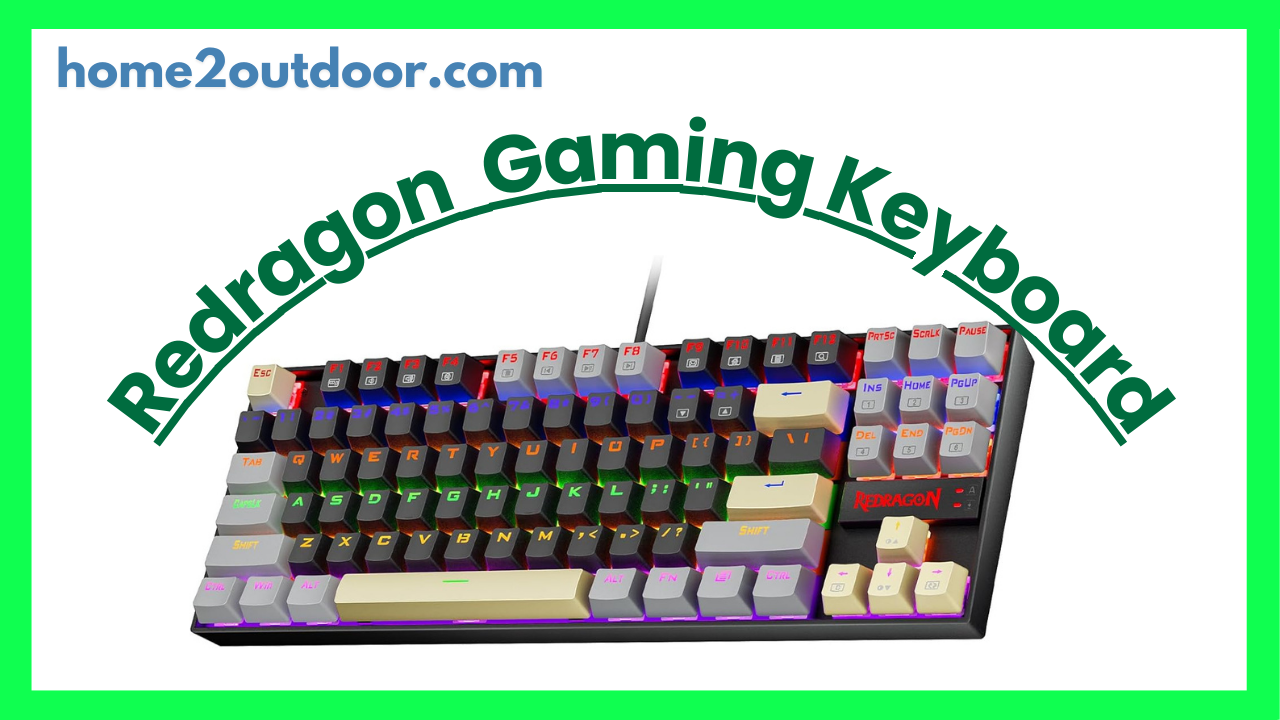
Here’s a detailed review of the Redragon K552 “Kumara” Mechanical Gaming Keyboard — its strengths, weaknesses, and whether it’s a good choice depending on what you need.
What is the Redragon K552
The K552 Kumara is a budget tenkeyless (TKL) mechanical keyboard. It omits the number pad, making it more compact, and is marketed for gamers who want mechanical feel and decent build quality without a high price tag. It is available in variants with red, blue, or RGB backlighting. Redragon Bangladesh+2gadgetscouthq.com+2
Key Features & Specs
| Feature | Details |
|---|---|
| Switch Type | Mostly “Blue” clicky mechanical switches (Outemu or equivalent) RTINGS.com+1 |
| Layout / Size | Tenkeyless (87 keys) — saves desk space because no numpad Vibe Gaming+1 |
| Build / Materials | Mixed metal (top plate) + ABS plastic body; solid base; non-detachable USB cable; double-shot or injection molded keycaps in many models Vibe Gaming+2gadgetscouthq.com+2 |
| Backlighting | Various versions: red-only, RGB; multiple lighting modes, brightness levels; onboard controls (no dedicated software in many variants) gadgetscouthq.com+2Redragon Adria – Best gaming gear+2 |
| Other features | Anti-ghosting / full key rollover on all keys; Windows key lock for gaming; rear feet to adjust typing angle; solid rubber pads so it doesn’t slip easily PCMENA+2TheGamingSetup+2 |
Pros — What It Does Well
- Excellent value for money
For the price, you get real mechanical switches, solid build (including a metal plate), and decent lighting. Many reviews say it “punches well above its weight.” - Durability and sturdiness
The keyboard feels solid. The metal plate helps reduce flex, and the build is more rigid than what you might expect in this price range. - Typing / gaming performance
The blue switches give good tactile and clicky feedback. For typing and many games (MMOs, strategy, etc.), this is satisfying. Also, anti-ghosting / rollover features make sure multiple simultaneous keypresses are registered reliably. - Compact TKL form
Without a number pad, it saves desk space and gives extra room for mouse movement. This is often very welcome for gamers or people with smaller desks. - Lighting & aesthetics
Decent lighting modes, brightness levels, RGB (on some variants). Even in non-RGB versions, the red backlight is bright and usable.
Cons — What to Be Aware Of
- Noise
Blue switches are loud. The clicky sound is satisfying to many, but in quiet environments (shared workspace, late at night, etc.), it may be annoying. - Limited switch options
Many versions come only with blue switches. If you prefer linear (quiet) or tactile (less click) switches, you might be disappointed. - Keycap quality
Keycaps are ABS, often thin. Legends may fade over time; the feel won’t be as premium as higher-end keycaps. - Basic customization / lack of software
Many versions lack dedicated software for remapping keys or complex macro programming. Lighting is controlled via onboard shortcuts rather than software GUI. - No detachable cable, minimal extras
The cable is non-detachable; no wrist rest included; some people find the feet or angle adjustability mediocre. - Ergonomics
Because of its height and lack of wrist rest, long typing or gaming sessions may be fatiguing for some people. If you need ergonomic comfort, you might need to add a wrist rest.
Who It’s Best Suited For
The K552 is a strong choice if you:
- Want a mechanical keyboard but are on a limited budget.
- Like audible, clicky feedback (blue switches).
- Have limited desk space and prefer a TKL layout.
- Don’t care much (or aren’t okay with paying extra) about ultra‑premium keycaps, detachable cables, or elaborate software.
- Use it at home or somewhere noise isn’t a major problem.
It’s less suitable if you:
- Need quiet typing or want linear/tactile switches without click.
- Want extensive macro programming or high customization via software.
- Prefer premium keycap materials (PBT, thick profile) or a very premium finish.
- Need ergonomic features like wrist support or a very low profile setup.
Comparisons & Real‑World Impressions
- Reviewers from RTINGS gave it about 7.3/10 for gaming: good performance, low pre‑travel, but noted latency not being the best and lack of software.
- Many users also report that, for its price, the build quality surprises in a good way. It feels more solid than many budget boards.
- Some complaints: legends/paint on keycaps fading; noise level being high; lack of numpad for those who use it heavily.
Verdict
If I had to sum up: The Redragon K552 Kumara is one of the best value mechanical keyboards you can get if you’re okay with its trade‑offs. You lose some premium touches and silence, but you get real mechanical switches, solid build, and usable lighting for much less money than many big‑name alternatives.


