
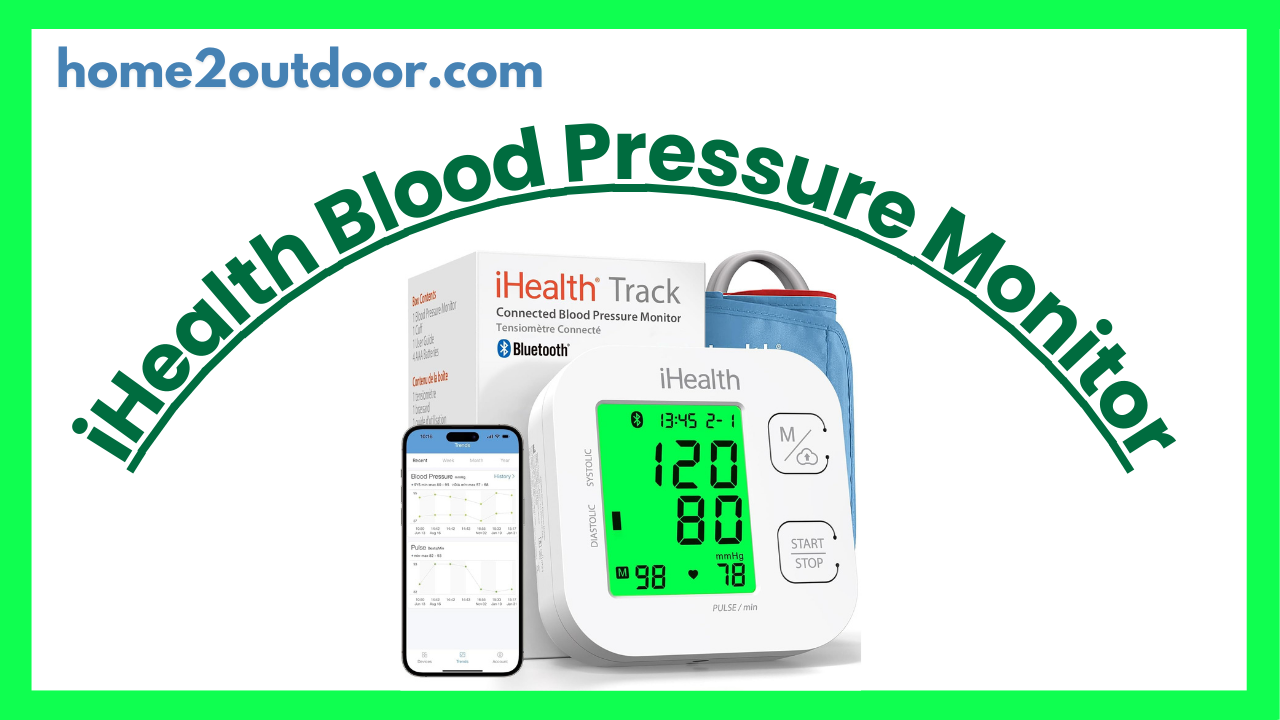
Here’s a breakdown of the iHealth Track Smart Upper Arm Blood Pressure Monitor: how it works, its features, strengths & weaknesses, and what users and reviewers say. (As always, this is informational and not medical advice.)
What It Is / Purpose
The iHealth Track Smart is a home-use, upper-arm blood pressure (BP) monitor with “smart” features (Bluetooth and app integration). Its aim is to let users measure their blood pressure reliably at home, track history over time, and (optionally) share results with doctors or store trends in a smartphone app.
It is oriented toward people who want more than just a standalone monitor—those who like seeing trends, exporting data, and leveraging connected health tracking.
Key Features & Specifications
Here are the main features, technical specs, and what the manufacturer / reviewers state:
| Specification / Feature | Details / Claims |
|---|---|
| Cuff size / range | Wide‑range cuff: fits upper-arm circumferences from ~ 8.7 in to 16.5 in (≈ 22 cm to 42 cm) |
| Display | Large, backlit LCD with color-coded feedback (green / yellow / red) to indicate whether your reading is in normal / borderline / high ranges |
| Memory / Storage | On-device: can store up to 99 readings (i.e. you don’t always need the phone) In app: unlimited readings via Bluetooth sync (iHealth MyVitals) |
| Connectivity / App | Bluetooth (typically Bluetooth 4.0) to sync readings to smartphone (iOS & Android) via iHealth’s app |
| Operation / Ease of Use | One-touch or two-button operation (user places cuff, presses start) Clinically accurate with no calibration required (i.e. the device is factory calibrated) |
| Heart rhythm / Irregular heartbeat detection | The device claims to detect irregular heartbeats (arrhythmia / rhythm disturbances) and display a warning symbol if detected |
| Power / Batteries | Uses AAA batteries (4 × AAA) Some sources suggest USB / micro‑USB option (dual power) is possible (but this is less uniformly confirmed) |
| Validation / Accuracy / Performance | It’s marketed as meeting clinical / regulatory accuracy standards (e.g. FDA clearance in some markets) In tests by TechGearLab, it had “average accuracy” — in their 16 comparative readings, 3 deviated by more than 10 mmHg from control devices (sometimes enough to change BP classification) |
| Optional / Additional Features | Option to buy an XL cuff for very large arms (> 16.5 in) Export data (PDF / CSV / Excel) via app for sharing with physicians |
Pros & Strengths
Based on reviews and user feedback, here are its main advantages:
- Smart / app integration
The ability to sync with a smartphone and store unlimited readings gives you more insight into trends over time rather than just snapshot readings. - Color-coded feedback / intuitive display
The green‑yellow‑red backlighting helps users quickly interpret whether their BP is in a healthy, borderline, or high zone—helpful especially for non‑experts. - Wide cuff range / option for XL cuff
The included cuff covers many adult arms, and the optional XL cuff is a plus for those with larger arms. Cuff fit is essential for accuracy. - Relatively accessible / mid-tier price
It tends to be reasonably priced for a “smart” monitor, offering advanced features without going into the high-end price zone. - Memory buffer even without smartphone
The 99-reading on-device memory is helpful when you don’t have your phone with you. - Detection of irregular heartbeats
Adds a layer of safety by alerting you if an arrhythmia is suspected (though this is an alert, not diagnostic).
Cons & Weaknesses / Limitations
No device is perfect. Here are the shortcomings or things to watch out for:
- “Average” accuracy in tests
While it performs well overall, independent testing (TechGearLab) found several readings deviated enough (≥10 mmHg) to potentially change a blood pressure classification. - App / Bluetooth issues
Some users report connectivity hiccups, lag, or needing to re-pair the device with their phones. The Bluetooth link can be finicky. - Reliance on batteries
Because it uses AAA batteries, you’ll need to replace them periodically. No built-in rechargeable battery is confirmed in most sources. - Cuff comfort & inflation noise
Some reviewers found the cuff a bit floppy or less stiff than ideal, making it harder to fit snugly without help. The inflation/deflation can also be somewhat noisy or slower in some cases. - Manual / instructions clarity
The user manual is sometimes criticized for being less clear, especially when figuring out button functions or advanced app features. - No multi-user profiles on device
The device itself doesn’t distinguish between different users—if multiple people use it, they must rely on the app to separate their readings. - Outside cuff range
If your arm is smaller than ~ 22 cm or larger than ~ 42 cm and no XL cuff is available or accessible, accuracy may suffer.
What Users Say / Real-World Feedback
- Many users appreciate how convenient it is to log BP readings without paper, and the option to export or email them to doctors.
- A user said: “Best $30 I’ve spent … the ability to sync with an app means I never have to log by hand again.”
- On online marketplaces, users often compare its readings favorably with in-clinic measurements, though some report minor discrepancies.
- Some caution that for critical decisions (e.g. diagnosing hypertension severity, major medication changes), one should not rely solely on a home monitor—always cross-check in clinical settings.
How Well It Works (in Practice)
In everyday use, the iHealth Track Smart is a solid choice for home BP monitoring if your expectations are realistic and you follow best practices. It’s quite suitable for:
- Tracking trends over weeks/months
- Sharing data with your physician
- Monitoring for changes if you already know you have hypertension
But it’s less ideal to expect it to always match clinical devices exactly or to replace periodic visits to a medical professional.
To get better performance:
- Use the correct cuff size and ensure a snug, proper fit
- Sit quietly and maintain consistent posture (arm at heart level, back supported)
- Avoid movement, talking, or tension during measurement
- Take multiple readings and average them (some BP monitors do this automatically; this one plus the app can help)
- Occasionally cross-check with office or clinic measurements


